GenSrc - Generate source codes from a set of decision tables
gensrc 01

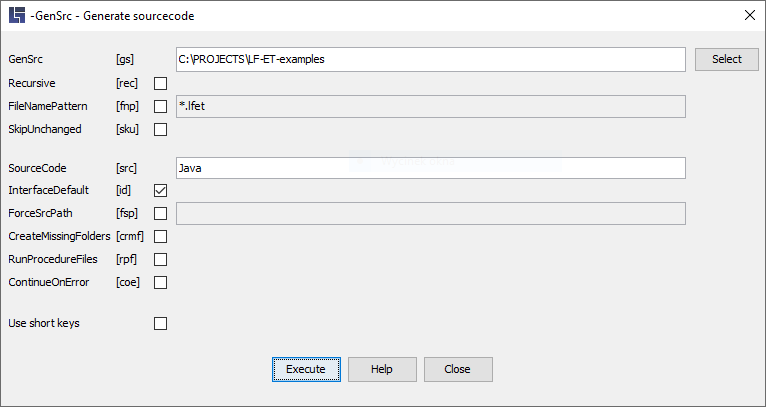
A source code for any number of decision tables can be ge­ne­ra­ted using this function.

gensrc 02


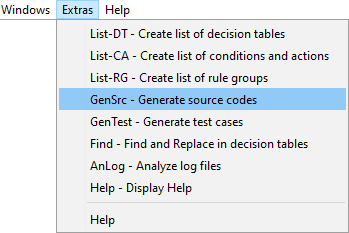
In order to generate a program code from an already opened decision table, a better option is to use the generation menu or the keyboard shortcut CTRL + G.

Necessary parameters

Parameter [short form]

-GenSrc "Directory name" [‑gs]

Generates source codes from decision tables starting from the “Directory name” directory. It is also possible to specify several directories, separated by the delimiter valid in the operating system (e.g. a semicolon ";" in Windows). If the directory specification is mis­sing, either the current working directory or, if specified, the directory name of the parameter RootDirectory is automatically used.

Optional parameters

Parameter [short form]

-Recursive [‑rec]

This parameter causes all subdirectories to be searched, too.

-FileNamePattern "Name pattern" [‑fnp]

Restriction of the processing to files that match the specified name pattern.

Uppercase and lowercase letters are irrelevant.

For masking, you can use the characters
   *  for any string
   ?  for any single character

It is also possible to specify several patterns, separated by a comma or semicolon.

-SkipUnchanged [‑sku]

This parameter can be used to prevent already existing source codes from being overwritten by functionally identical new versions.

The newly ge­ne­ra­ted source code is additionally compared with the already existing source code so that specific patterns of time stamps or LF‑ET version entries are ignored.

-SourceCode [‑src]

Specification of the programming language for which the source code is to be ge­ne­ra­ted. The language recently used is specified as default, e.g. "Java". Exactly one language can be specified.

-InterfaceDefault [‑id]

In the case of this parameter, interface generation is used by default for decision tables that contain no source code for the selected language.

-ForceSrcPath "Directory-Name" [‑fsp]

This parameter causes a specified target directory to be forced for the generation. It overrides the ide.<lang>.SourcePath parameter already existing in the project.ini files, if any.

-CreateMissingFolders [‑cmf]

This parameter causes output directories that do not exist yet to be automatically created.

-RunProcedureFiles [‑rpf]

Each individual program generation from a decision table can be followed by the start of subsequent processing, see project.ini ide.<programming language>.ProcedureFile.

This parameter must also be set if such procedures are to be e­xe­cu­ted also in the case of bulk generation with -GenSrc.

-ContinueOnError [‑coe]

This parameter prevents processing from being aborted if an error occurs du­ring generation.

Return codes

Return-Codes - If the function is used e.g. in a script:

0

Error-free processing

1

At least one error occurred du­ring processing; more details can be found in the processing report.

Examples

A typical form of retrieval is e.g.:

lfetconsole.bat -GenSrc "D:/MyWorkspace" -Recursive –SourceCode Java -InterfaceDefault

or in short form:

lfetconsole.bat -gs "D:/MyWorkspace" -rec -src java -id