Create a snapshot
A snapshot is created with an aid of the “Create a snapshot” icon in the icon bar:

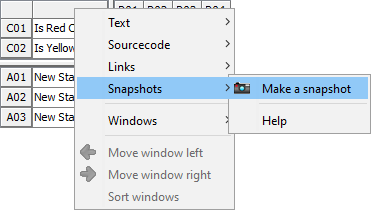
Alternatively, this function is also available in the context menu of the decision table:
A title can be added optionally:
Upon clicking OK, the snapshot is saved and entered as the new number 1 "on top" in the Snapshot list:
| If a matching snapshot already exists for the current screen status, the user receives the relevant message and the existing snapshot is marked as "recently displayed". |