Compressing rules
In order to compress, no rules need to be marked. The process is started by clicking on the compress button  in the icon bar or on the compress command in the rule context menu.
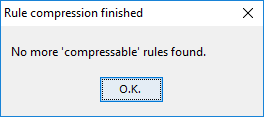
When all compression options have been exhausted, processing is terminated with a corresponding message:
|
LF‑ET automatically checks decision tables with every change. You can recognize if compressing possibilities exist or not by checking if the compress button If a decision table after compressing is more difficult to understand than before (as may sometimes be the case), the previous state can easily be restored with the undo function In principle, compression is only possible up to the minimum table (1 condition, 2 actions, 2 rules). |


The following sections briefly explain different compression options that LF‑ET goes through in series when compressing.