Inserting rules
Inserting empty rules manually
-
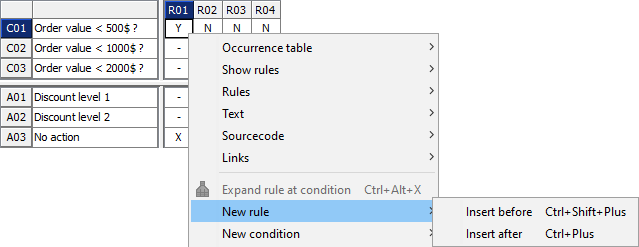
Mark the rule where a new, empty rule is to be inserted by clicking on the rule identifier.
-
Open the context menu for the rule (right mouse click or SHIFT + F10 ) and select either
-
New rule > Insert before ( CTRL + SHIFT + + ) or
-
New rule > Insert after ( STRG + + )
-
Inserting missing rules automatically
One of particular strengths of LF‑ET is the automatic calculation and completion of still missing rules.
You can choose whether the new rules should be added to the decision table on the left or right:

Whenever these two symbols are active, the decision table is incomplete.
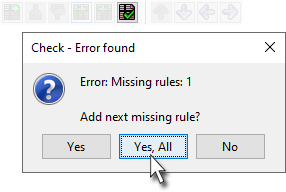
The function Checking a decision table  can be used to add all missing rules at once: