Auto-completion
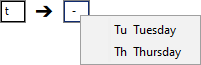
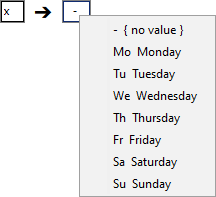
An incomplete entry in a rule cell is automatically "left-aligned" with all the values that are possible for this cell, upper and lower case is thus ignored.
LF ET reacts differently, depending on whether none of the values fits, whether exactly one value fits, or whether several values fit.
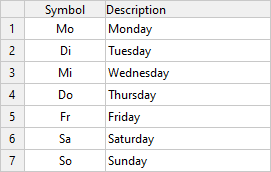
A value table with weekdays serves as an example here.
Unique entry
If the input “left aligned” matches the beginning of exactly one value, then this value is taken over directly as a cell input: