Sorting rules in the area of conditions and actions
Double-click on identifier
By double-clicking on the identifier of a condition or action

the rules are sorted by the values of this condition or action alternately in an ascending or descending order:

Sorting via context menu
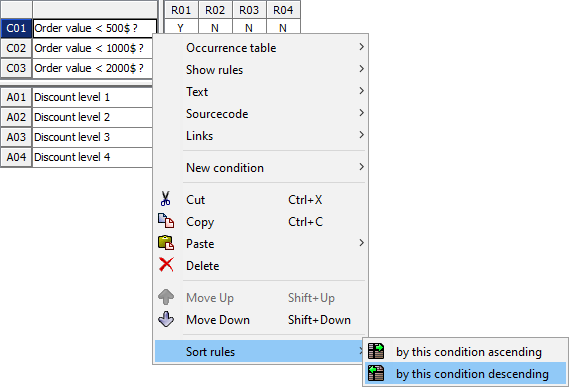
Open the context menu for a condition or action (by right-clicking or pressing SHIFT + F10] and then select either:
-
Sort rules > by this condition ascending or
-
Sort rules > by this condition descending.
| The sorting order of the rules is determined by the order of the condition and action values in the value tables. |