Insert
Using the context menu
-
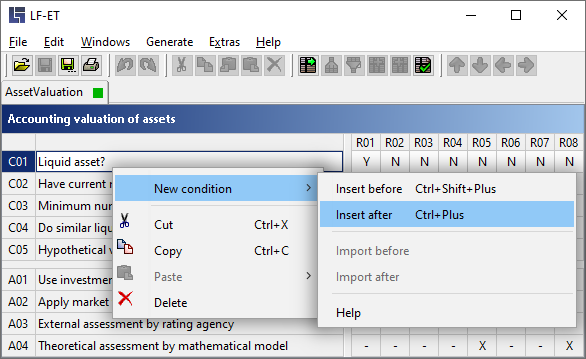
Select the condition or action before or after which a new condition should be inserted by right-clicking on the identifier or on the title of a condition or action
-
Select New condition or New action from the context menu by right-clicking.
-
Then select:
-
Insert before (above) or
-
Insert after (below)
-
Using keyboard shortcuts
-
Select the condition or action before or after which a new condition should be inserted by right-clicking on the identifier or on the title of a condition or action
-
Then execute
Insert after (below) using CTRL++
Insert before (above) using CTRL+SHIFT++ or
A new, limited condition or a limited action is inserted in the desired position in a decision table.