AnLog - Analyze log files
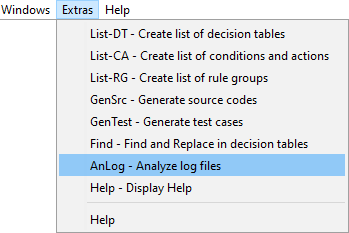
anlog 01

LF‑ET can statistically evaluate log files if the files contain information on rule executions in a specific CSV (comma-separated-values) format.
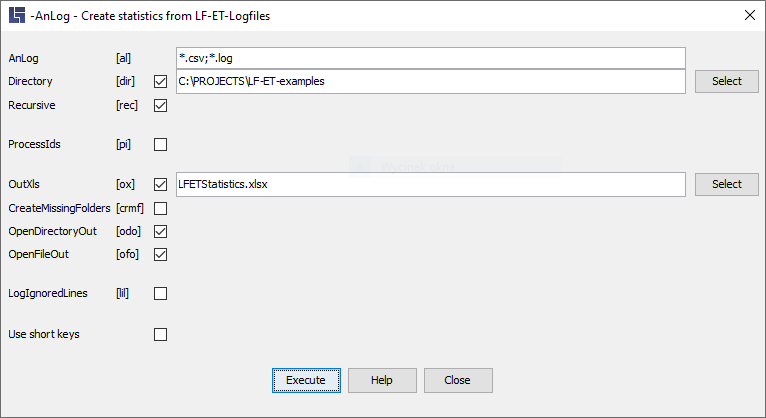
anlog 02

Necessary parameters

Parameter [short form]

-AnLog "File name" [‑al]

Analyze LogFiles: starts the statistical analysis of a file.

If the directory specification is mis­sing from the file name, either the current working directory or, if specified, the directory name of the optional parameter -Directory is automatically used.


-AnLog "Name pattern" [‑al]

A name pattern can also be specified instead of a file name. The following characters: "*" (any string) and "?" (just any character) can be used for masking.

Several patterns can be specified, separated with a comma or a semicolon.

Either the current working directory or, if specified, the directory of the optional Parameters – Directory can be used.

All subdirectories can also be involved in the analysis using the -Recursive parameter.

Optional parameters

Parameter [Kurzform]

-Directory "Directory name" [‑dir]

The working directory can be specified using this parameter

-Recursive [‑rec]

This parameter causes all subdirectories to be searched, too.

-ProcessIDs [‑pi]

This parameter causes also the Rule ID to be analysed statistically.

-OutXls "Datei­name" [‑ox]

With this parameter, a specific name can be specified for the result file, if necessary also with a directory specification. The name must end with ".xlsx" or “.xls”.

Without this parameter, the file LFETStatistics.xlsx is created by default in the working directory.

-OpenDirectoryOut [‑odo]

This parameter causes the directory to which the result file was written to be opened automatically.

-OpenFileOut [‑ofo]

This parameter causes the created result file to be automatically opened with the relevant editor (e.g., MS-Excel).

-LogIgnoredLines [‑lil]

This parameter causes all lines ignored du­ring processing (i.e. lines that are not recognized as statistically evaluable) to be output to the console.

This parameter may cause a great deal of unnecessary output lines and is only intended to temporarily provide additional information when examining why certain rules or decision tables do not flow correctly into the statistics.

Examples

A typical form of using this function is e.g.:

lfetconsole.bat -AnLog "*.log" –OutXls "Analysis.xlsx"

or in short form:

lfetconsole.bat -al "*.log" –ox "Analysis.xlsx"