Move values
Values of a value table can be moved freely.
Using keyboard shortcuts
The fastest way to move a selected value up or down is to use the keyboard shortcuts:
SHIFT + UP and
SHIFT + DOWN.
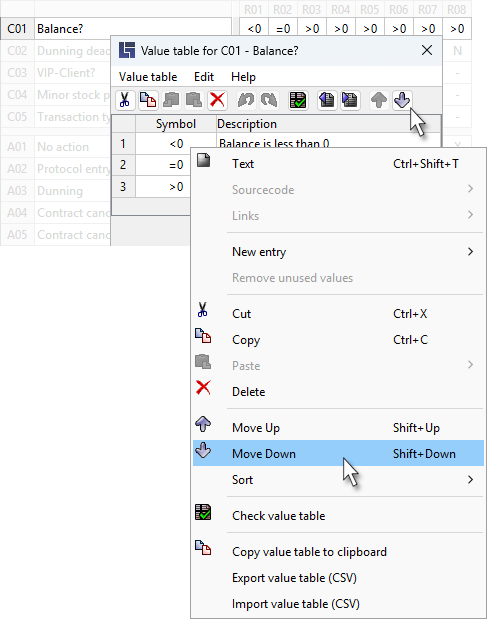
Using the icon bar or the context menu
The context menu for a marked value is retrieved by right-clicking (or using the keyboard shortcut SHIFT + F10); menu items for moving can be found there:
|
The sorting sequence of rules in the decision table is determined by the position of values in the value table, see also: Standard sorting of rules. |