Structure
Descriptions and range statements of a decision table.
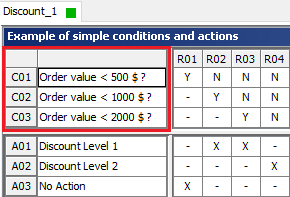
Condition part
In the condition part, the conditions relevant to the decision situation are precisely formulated, namely all that must be checked in the relevant decision situation before any actions can be carried out.
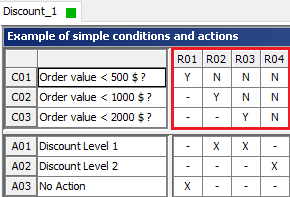
Condition display part
The condition display part contains combinations of possible values for the condition. It is specified here for each condition how it contributes to the decision situation.
This information can be effected e.g. by Y (for yes) – if the condition should be met – or by N (for no) – if it is not to be fulfilled. It is also known as the condition indicator.
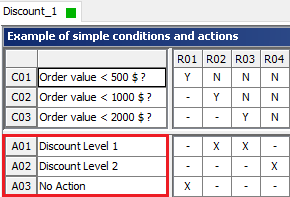
Action part
The action part contains a list of all possible actions to be executed in the relevant decision situation, depending on the conditions.
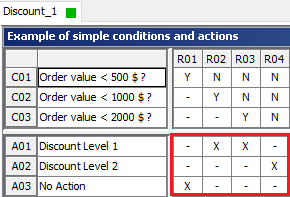
Action display part
In the action display part, actions to be executed can be determined, i.e. for each rule, it is specified which actions are to be carried out. These entries may be effected e.g. by placing an (X) next to specific actions. It is also known as the action indicator.
Actions are executed, as standard, from top to bottom.
Identification part
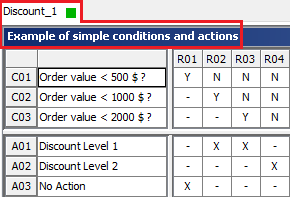
The identification part shows the file name and the title. It will be added to the decision table in order to make it possible to refer to it explicitly.
The identification part also serves as a short description of the table contents.
Identifier
The frame on the left-hand side and on top serves to register identifiers. It has become customary to refer to the decision table as follows:
|
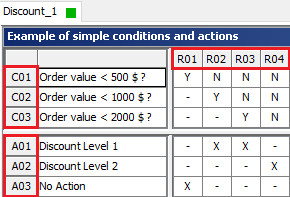
These identifiers support a clear and effective communication.