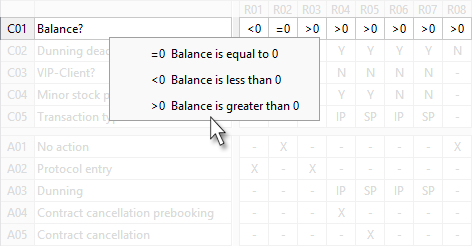
Display values
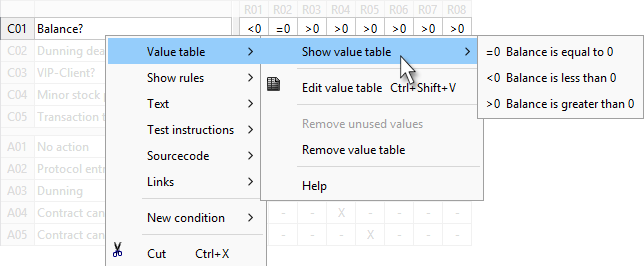
Using the context menu
-
Select the row or title of the condition or action the value of which you want to see.
-
Right click and select Value table and Show value table in the context menu.
Using keyboard shortcut
-
Select the cell the value of which you want to see.
-
Press ALT+DOWN