General configuration
In order to determine the recommended Generation Variant 1 (Interface and Rules Module) for the project, the configuration file is supplemented accordingly:
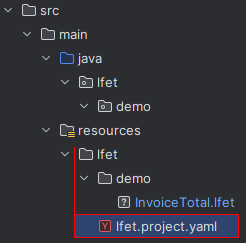
Additional settings for the project
| These settings are usually defined only once and apply to all decision tables in the project. |
lfet:

  ide.default: java

  ide.java:
    enabled: true              # 1)

    package: lfet.demo         # 2)

    src:                       # 3)
      encoding: utf-8
      path: ${project.root}/../../java/${package}
      create.missing.folders: true

    interface:                 # 4)
      enabled: true
      name: ${dt.name}_iFace
      modifier: '""'
      method.modifier: '""'
      annotations:
        - javax.annotation.processing.Generated("LF-ET")
      language: en

    interface.rules.class:     # 5)
      name: ${dt.name}_rulesEngine
      modifier: public
      method.modifier: public
      annotations:
        - javax.annotation.processing.Generated("LF-ET")

    ini.path: '""'             # 6)
The new entries in detail: |
|---|
|
|
|
|
|
|
The first generation
Java generation can now be executed successfully:
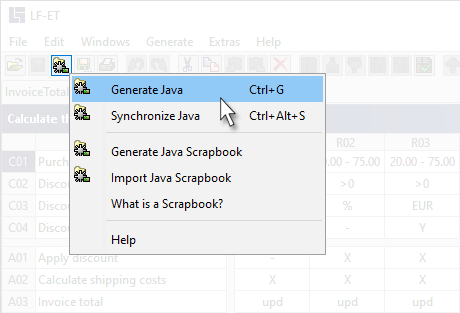
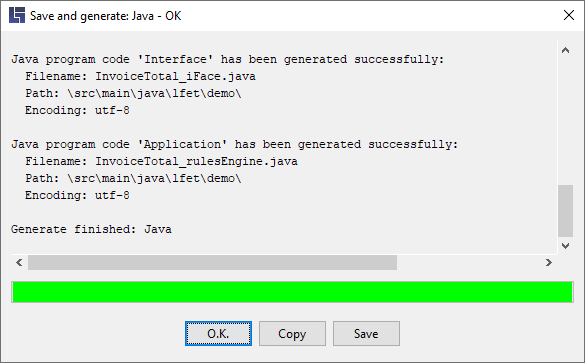
Once these basic settings are configured, an interface and a rules module are generated automatically for each decision table in the lfet.demo package at a touch of a button:
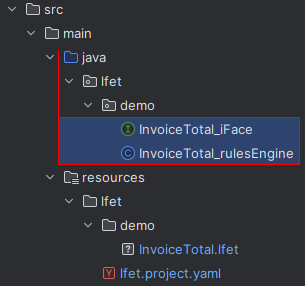
Generated modules are not changed – they are recomputed and regenerated at each generation.
| The fastest way to launch generation is to use the keyboard shortcut CTRL+G. |
Hints
-
Along with the configuration described above, the following are the only prerequsites for successful generation:
-
that decision tables are error-free, see Checking decision tables, and
-
that the names of the decision tables do not lead to invalid Java class names during generation
-
-
Generation can be configured comprehensively through generation parameters, starting from simple classes right up to generic, stateless services.
-
You can also define settings that differ from or supplement the standard settings for individual decision tables, e.g. individual class names, a different package, etc. See individual settings for a decision table.