Displaying and managing snapshots
The easiest way to open the Snapshot menu is to use the “Display and manage snapshots” icon in the icon bar:

This menu is also integrated in the context menu of the decision table.
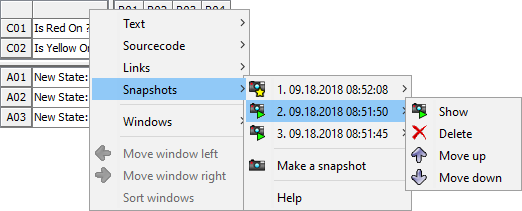
Snapshots are presented with the date and time of creation in the list, or, if specified, with the title.
They can be selected for display, edited, moved in the list or deleted.
|
A recently displayed or created snapshot is marked with a yellow star icon. |
|
An invalid snapshot is displayed in gray with a red flash (symbolizing a problem). |

