Adding test step properties
Test steps often require additional properties such as e.g. a test step name, a classification criterion for determining the sequence of test steps at output, etc.
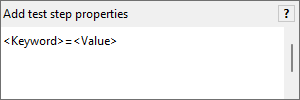
In order to assign additional properties to test steps, a test analyst must use an expression with the following structure:
|
Example
Presented below is a sample instruction in a general configuration for a condition:
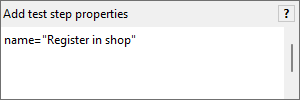
All test steps created through this condition have the name "Register in shop".
This section illustrates the properties that can be added to a test step.