Selection from value tables
-
Select the desired cell.
-
To display the list of values, press keyboard shortcut ALT+DOWN; a selection list of all permitted values for this cell is displayed as a result:
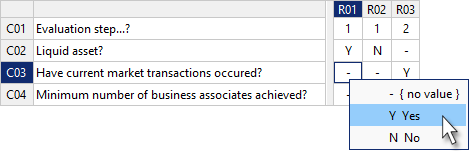
-
Select the desired value in the list of values with the mouse or using the UP and DOWN keys.
-
Paste the selected value into the selected cell by clicking with the mouse or by pressing ENTER.
-
To cancel data entry, press ESC.