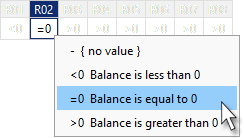
Select values in rule cells
Using the context menu
-
Select the rule cells for which you want to select values.
-
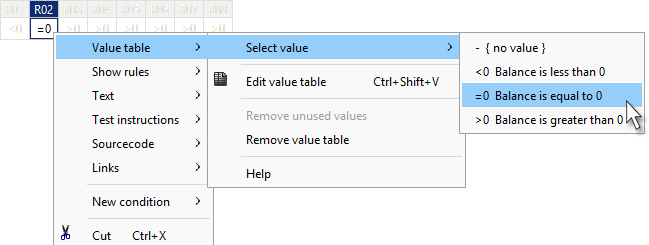
Right click and select Occurrence table and Select value in the context menu.
-
Select the desired value in the submenu.
Using keyboard shortcut
-
Select the rule rows for which you want to select values.
-
Press ALT + DOWN