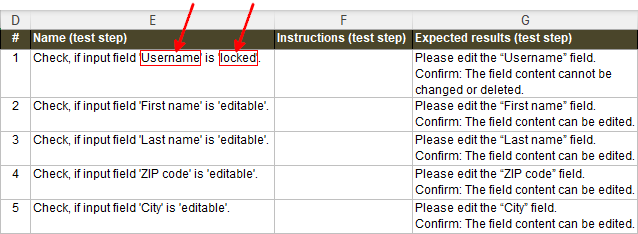
The following expressions for <Element> are possible |
- Symbol
-
The symbol of the value is taken over in the test instruction for condition or action values.
In the case of test instructions for conditions, actions and rules, the respective identifier (e.g. C01, A05, R08) is taken over in the test instruction.
|
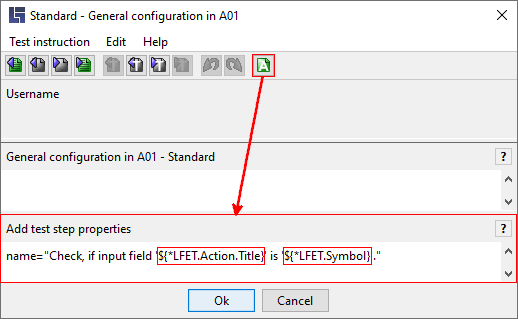
- Value.Symbol
-
This always takes the symbol of the condition or action value, even for test statements on conditions or actions (e.g., general configuration, test case pre- or post-condition).
|
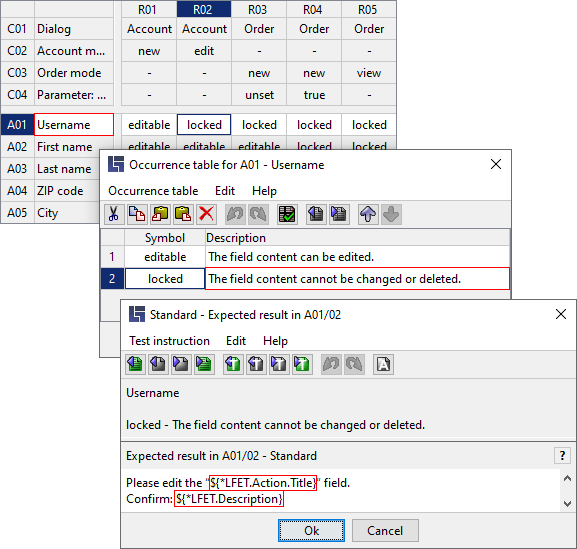
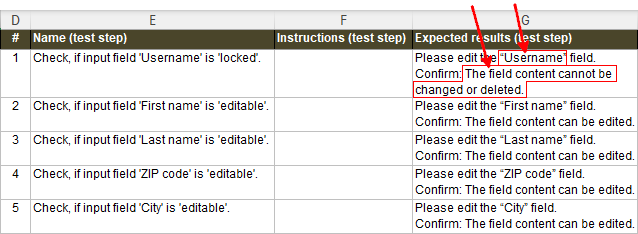
- Value.Description
-
In the case of test instructions for condition or action values, the description of value is taken over in the test instruction.
|
- Action.Title
-
In the case of test instructions for actions or action values, the title of the action is taken over in the test instruction.
|
- Condition.Title
-
In the case of test instructions for condition or condition values, the title of the condition is taken over in the test instruction.
|
- Value.Text
-
In the case of test instructions for condition or action values, the text of the value is taken over in the test instruction.
|
- Action.Text
-
In the case of test instructions for actions or action values, the text of the action is taken over in the test instruction.
|
- Condition.Text
-
In the case of test instructions for condition or condition values, the text of the condition is taken over in the test instruction.
|
- Rule.Symbol
-
In the case of test instructions for conditions, condition values, actions or action values, the identifier of the rule (e.g. R06) is taken over in the test instruction.
|
- Rule.Text
-
In the case of test instructions for conditions, condition values, actions or action values or rules, the text of the rule is taken over in the test instruction.
|
- Rule
-
The number of current rule during generation of test instructions.
|
- Rules
-
The rule count in the decision table.
|
- DT.Name
-
The decision table name.
|
- DT.Title
-
The decision table title.
|
- DT.Text
-
The decision table text.
|
- DT.Version
-
The timestamp with which the decision table is saved.
|
|