Sort values
Value tables can be sorted.
By double-clicking
Values of the value table are sorted alternately in ascending or descending order according to respective columns by double-clicking the column header Symbol or Description with the left mouse button.
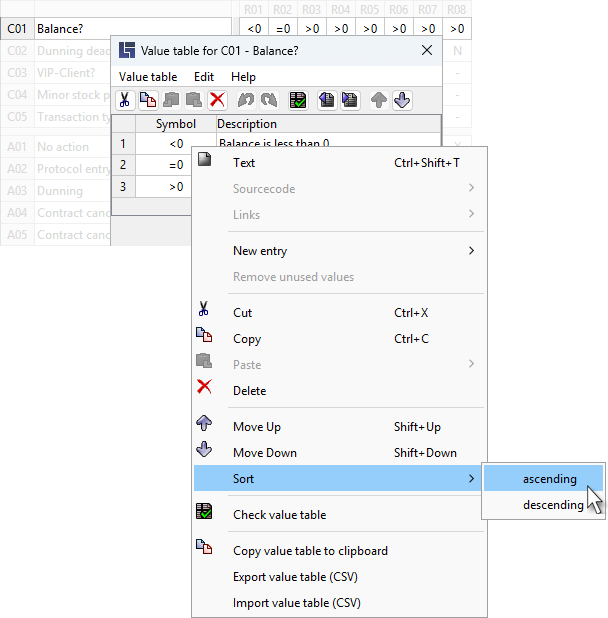
Through the context menu
The context menu is retrieved by right-clicking (or using the keyboard shortcut SHIFT + F10); menu items for sorting the value table can be found there. The cell currently marked determines which column will be used for sorting.
Additional hints
-
The last value in the case of conditions has the else meaning and is therefore excluded from sorting.
-
If all values of the marked columns are numerical, sorting is done not alphabetically but numerically, i.e.:
− not: 1, 12, 2, 23, 3, 32, 4, etc.
− but: 1, 2, 3, 4, 12, 23, 32, etc. -
The sorting sequence of rules in the decision table is determined by the position of values in the value table, see also: Standard sorting of rules.