Scope - determining output scope

In a test case, LF‑ET distinguishes between two consecutive output areas for the test steps:

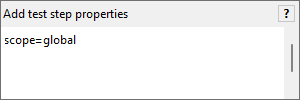
Global

This scope is optional and is output completely before the test steps of the second "Rule" scope. In order to assign a test step to this scope, the following expression must be entered in the test instruction:

010 from 002 xcf

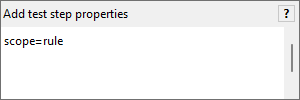
Rule

This is the predefined default output scope for all test steps. In this scope, test steps are output in the sequence as they occur in rules. As it is the default output scope for each test step no special entry must be made for it. Should it, however, turn out to be necessary, a test step can be assigned to this scope in a test instruction with the following expression:

011 from 002 xcf

vertical space 05px

Test instructions are output, as standard, in the same sequence in which conditions and actions in the rules of the decision table appear. If necessary, the sequence of test steps can be managed individually through SID sequence criterion for each of the two scopes.