Exporting multiple decision tables from LF ET 1.x.x
Multiple decision tables can be exported as follows (almost "in one fell swoop").
The command "list *" (list all decision tables) is entered in the command line. A list of decision tables found appears. Decision tables to be exported are marked with "X" and are thus designated for export:
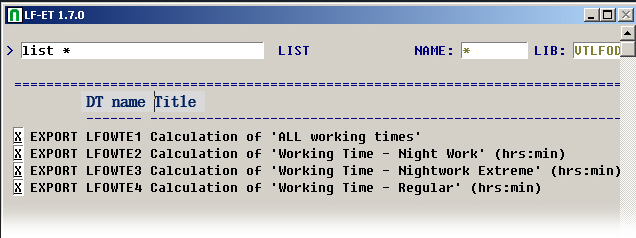
The listing is abandoned with PF3 and the decision tables are exported. The progress of export is shown in the header section of the page:

The decision tables are stored as text elements in the current Natural library on a mainframe computer.
On "open systems" (Windows, Unix, Linux), the location depends on the setting of variables LFET.Path in the LFTOOLS.INI file in the ../SAG/Natural directory.