Configuration of generation options
The dialog used for defining, managing and executing individual configurations for test case generation is retrieved via the menu bar:
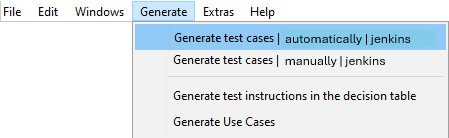
Configuration of test case generations for all test instruction groups present in the decision table (here: automatically und manually), and for all test case generations already saved, if any (here: jenkins).
Hints:
-
The configurations are saved directly in the decision tables
-
In order for test cases to be generated, the decision tables must be error-free and saved, just like when generating programs
-
For bulk generation of test cases or test suites, on the basis of configurations saved from several decision tables, the -GenTest command line function is used
The dialog is divided into several areas with generation options:
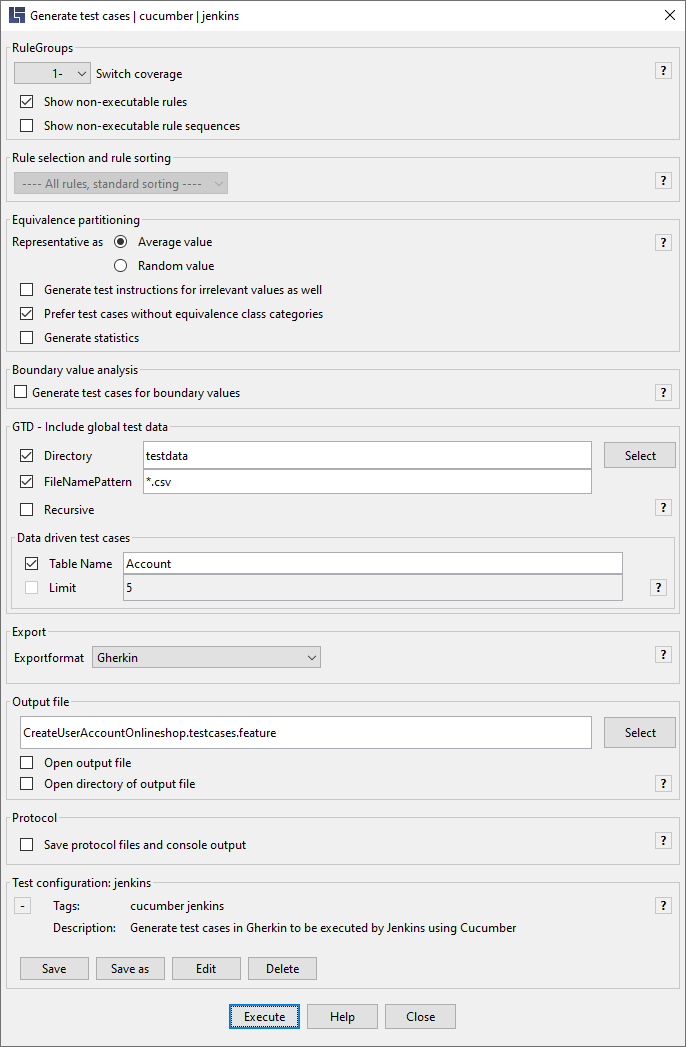
The user can retrieve Help precisely for a given area in the dialog by clicking on the question mark icon to the right.
The following chapters explain individual areas of the dialog.