Comparing decision tables
This section explains how to analyze and visualize the differences between two different versions of a decision table.
Requirements
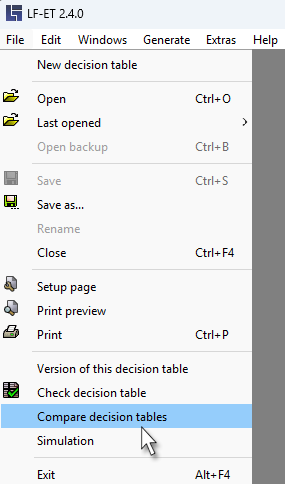
The "Compare decision tables" function in the File menu is always available if exactly two versions of a decision table are open in LF ET.
| In order to be able to open one of the automatically created backup copies, the file type "Backup files (. $bak)" must be selected in the Open dialog. |
Running a comparison
By selecting the menu item "Compare decision tables" in the File menu, a log screen is opened in which the result list of the comparison is displayed. After the comparison has finished, the result list can be viewed in the log screen, copied to clipboard, or saved as a file.
The older of the two opened decision tables id designated "E1" in the result list, whereas the younger one is designated "E2”.
The following elements in the two decision tables are compared, recognized differences are output one after another in the result list:
-
Number, positions and descriptions of conditions and actions
-
Number, positions, symbols and descriptions of condition and action values
-
All rules
-
All texts
-
All source codes