Hiding and showing empty rows
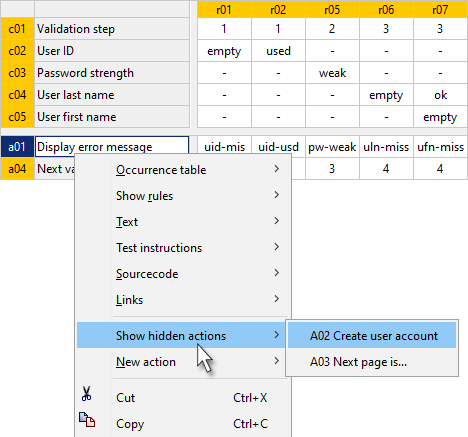
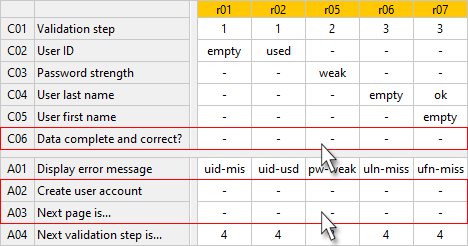
If only a part of the rules in a decision table is displayed, e.g. only a selected rule group, then quite often some condition and action rows are "empty", i.e. only filled with irrelevance indicators. In this example these are the condition C06 and the actions A02 and A03:
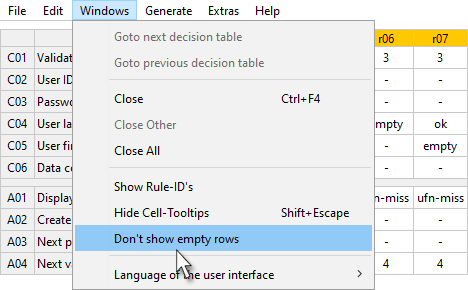
The display of "empty rows" can be switched off and on again, if required. To do this, select the function Don’t show empty rows or, if empty row suppression is currently switched on, Show empty rows, either a) in the context menu of any rule cell or b) in the menu bar in the Window menu:
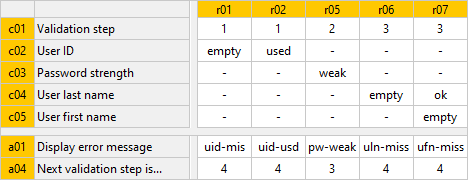
The fact that not all rows or columns are displayed can be recognized by the yellow background and the lower case of the identifiers:
Automatic activation of empty row hiding
"Not showing" empty rows is automatically enabled when opening a decision table if it has more conditions and actions than can be currently displayed on the LF‑ET main screen.