Quick check
The quickest way to check whether LF‑ET recognizes rule groups in a decision table is as follows:
Select (i.e. left-click on) any cell in a rule in which another rule group is specified as the target in the rule group action (here A05)…
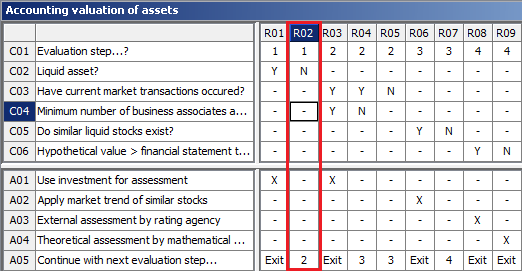
…and then press ALT+G ("go to"). If the rule groups are recognized correctly, LF‑ET now displays only the rules of the target rule group:
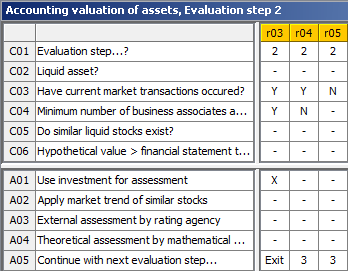
In addition to the title of the decision table and separated by commas, the description of the rule group is displayed at the top of the title bar, here "Evaluation step 2".